
How to Benchmark Patient Satisfaction in Clinics
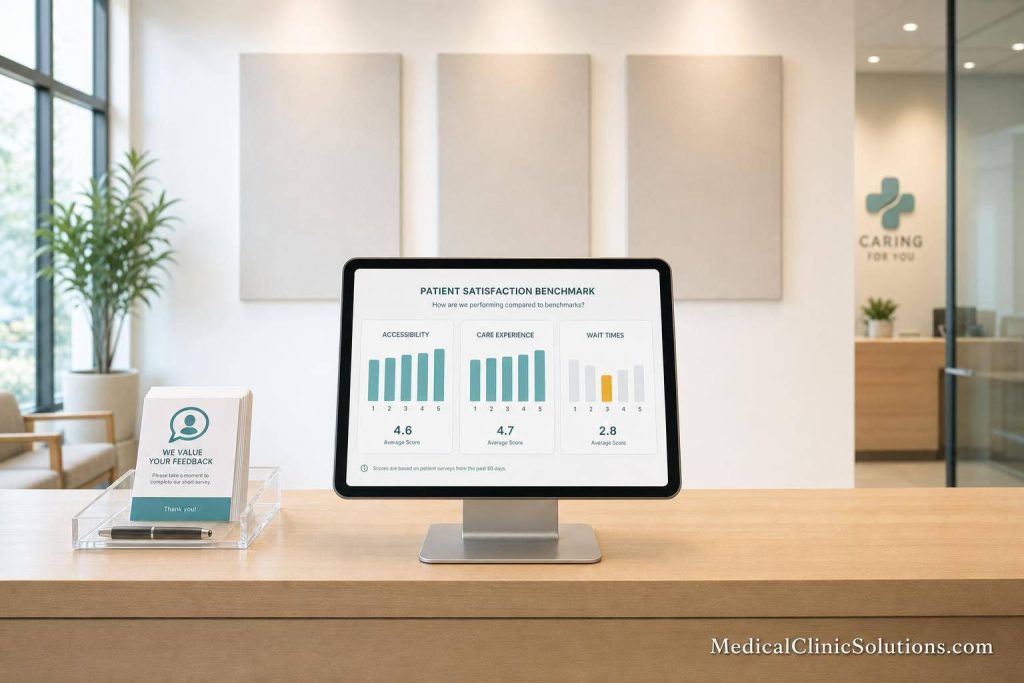
If I want patient satisfaction data I can trust, I need to keep the survey process the same every time, compare the right score types, and act on the biggest gaps first.
Here’s the short version: I start with a clear goal, use a short survey, send it on a fixed schedule, and compare results against the right baseline. That might be my past performance, another clinic location, or a national source. If I skip consistency, the numbers stop being useful.
I also need to track more than one part of the visit. The main checkpoints are:
- Scheduling access
- Check-in
- Wait times
- Provider communication (often improved through specialized HR services)
- Follow-up
- Billing clarity
A few numbers stand out right away:
- 8–12 questions is a good survey length
- Under 3 minutes helps response rates
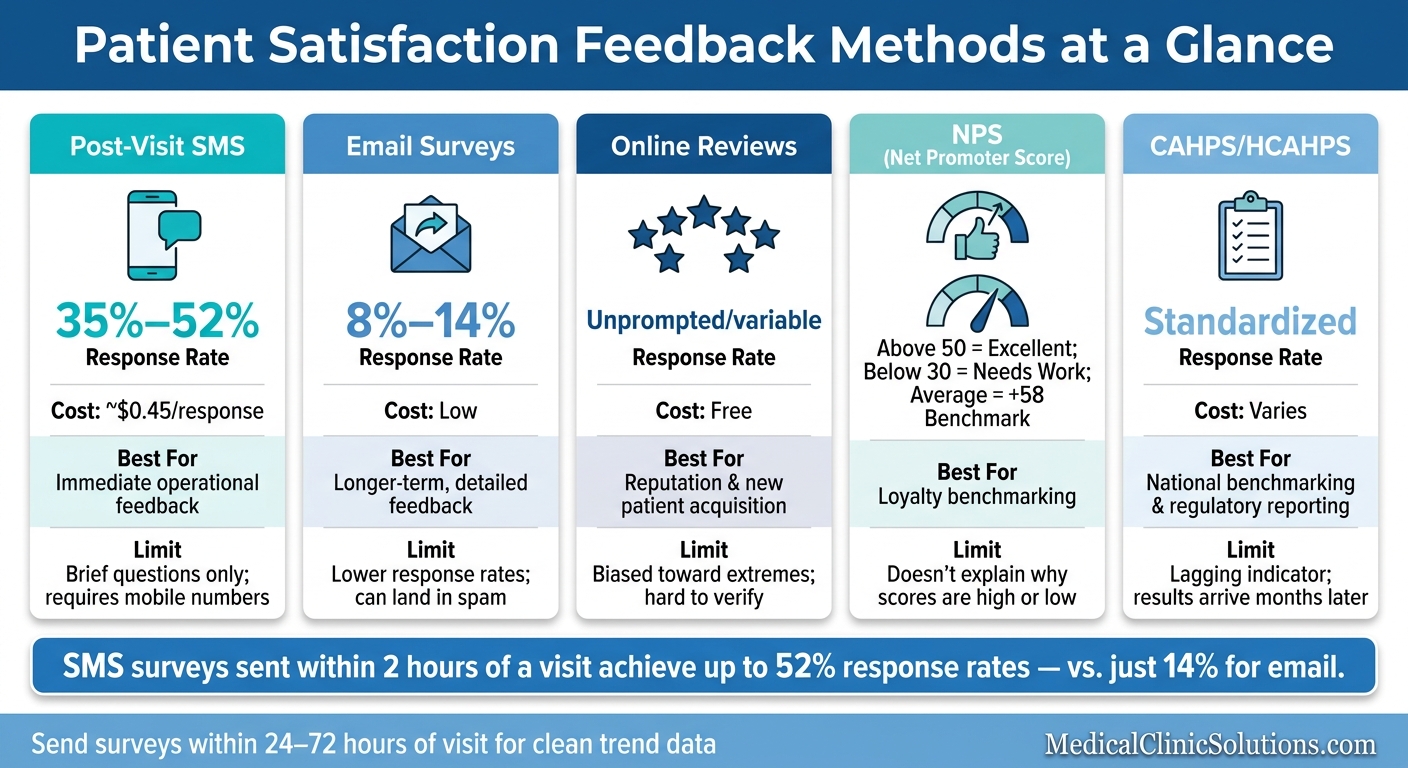
- SMS surveys sent within 2 hours often get 35%–52% response rates
- Email surveys often get 8%–14%
- In healthcare, NPS above 50 is strong, while below 30 shows clear room for work
The other big point: satisfaction and experience are not the same. Satisfaction is how a patient felt. Experience is what happened. If I mix those up, I may fix the wrong problem.
Using Data to Measure and Improve Patients’ Satisfaction with Hospital Care
Quick comparison
| Area | What I should do | Why it matters |
|---|---|---|
| Goal | Pick the benchmark goal before writing the survey | The survey should match the comparison I want |
| Survey design | Keep it short and use one rating scale | Makes results easier to compare |
| Channel | Use SMS for fast feedback, email for longer answers | Response rates and detail level differ |
| Timing | Send surveys within 24–72 hours and keep timing fixed | Trend data stays clean |
| Benchmark type | Start with internal trends, then add outside comparisons | Shows both progress and context |
| Scoring | Compare mean to mean, top-box to top-box, NPS to NPS | Mixed score types lead to bad comparisons |
| Review process | Break results down by provider, location, and question | Clinic averages can hide weak spots |
| Action plan | Assign one owner, one target, and one deadline per issue | Makes follow-through easier |
If I had to sum up the whole process in one line, it would be this: collect the same data the same way, compare it to the right benchmark, and use the findings to fix the parts of the visit patients talk about most.
Choose the Right Survey and Scoring Method
Patient Satisfaction Survey Methods: Response Rates, Costs & Use Cases
Use Short Surveys With Consistent Response Formats
Keep surveys short. 8–12 core questions is usually enough, and patients should be able to finish in under 3 minutes. That cutoff matters: every extra minute past 3 minutes can cut completion rates by 15%.
Use one response scale across the whole survey, such as 1–5 or 1–10. Don’t switch formats between departments or providers. When the scale changes, results get messy fast. On mobile, star or emoji ratings can lift completion rates compared with plain number scales.
If an ambulatory practice wants to compare results at a national level, standardized tools like CG-CAHPS are a good fit for that kind of comparison.
The survey setup should match what you want to compare:
- Month-to-month trends
- Location-to-location performance
- National benchmarking
Once the format is set, the next step is simple: pick the channel based on how fast you need the feedback.
Compare Survey Channels, Reviews, and NPS Before Deciding
Each feedback method does a different job. Automated SMS surveys sent within 2 hours of a visit get response rates of 35%–52%, while email surveys tend to land at 8%–14%. If you need fast operational feedback, SMS is usually the better choice. If you need longer answers, email gives you more room.
Patient feedback helps show where expectations fall apart and which parts of the visit need attention.
Public reviews can help too, but there’s a catch. They lean toward very good or very bad experiences, so they work best as a supplement, not the main system.
| Method | Main Use | Strengths | Limits |
|---|---|---|---|
| Post-Visit SMS | Immediate operational feedback | Highest response rates (35%–52%); low cost ($0.45/response) | Brief questions only; requires mobile numbers |
| Email Surveys | Longer-term feedback | Allows longer questionnaires; low cost | Lower response rates (8%–14%); can land in spam |
| Online Reviews | Reputation and new patient acquisition | High visibility; reflects unprompted patient concerns | Biased toward extremes; hard to verify |
| NPS | Loyalty benchmarking | Simple single metric; predictive of growth | Doesn’t explain why scores are high or low |
| CAHPS/HCAHPS | National benchmarking | Standardized; useful for national benchmarking | Lagging indicator; results often arrive months later |
For healthcare, an NPS of 50 or above is seen as excellent. Scores below 30 point to clear room to improve. NPS is useful, but on its own it only tells you what patients felt, not why. Pair it with a post-visit survey so you get both the loyalty signal and the day-to-day detail.
After you pick the method, the next move is to make delivery automatic and use the same clinic workflow every time.
Build Data Collection Into Existing Clinic Systems
Automation keeps the process steady. It also helps protect apples-to-apples benchmark data across visits. Build survey delivery into the EHR, patient portal, or kiosk workflow so each patient gets the same trigger and timing.
Collect Comparable Data Every Time
Once collection is automated, lock the rules and keep them fixed for every cycle. Benchmarking only works when survey wording, timing, channel, and audience stay the same from one cycle to the next.
Standardize Timing, Audience, and Distribution Method
Use a simple rule: send visit-level surveys within 24–72 hours of the appointment, and stick with the same delivery channel every cycle.
Set the survey population at the start. That means deciding whether you’ll survey every patient or a set group, like new patients only, and then using that same rule month after month.
Use the same delivery channel each time. Email, text, telemedicine software, or patient portals – it can be any of them. The key is consistency, because that’s what makes trend data line up in a way you can trust.
To keep responses useful, tag them by provider, location, or visit type.
Protect Anonymity and Confidentiality to Improve Response Honesty
Once timing and audience are fixed, protect response honesty too. Patients tend to answer more openly when they understand how their responses will be used.
There’s a key difference between anonymous and confidential surveys. Anonymous means no identifying information is collected at all. Confidential means responses may be linked to a record for internal use, but individual answers stay private from direct care providers. Either approach can work, but patients need to know which one you’re using. If that part is vague, people may hold back, and that weakens the feedback you need for solid benchmark comparisons.
Metadata tagging helps keep responses useful without undercutting that honesty. Survey platforms can attach provider ID, location, or appointment type to a response at the point of distribution, without asking the patient to identify themselves. That gives managers a way to filter results by provider or location without exposing patient names, which leads to cleaner segmentation and more accurate benchmark data.
Select Benchmarks and Analyze Performance Gaps
Once your data is standardized, the next step is simple: pick the right benchmark and look for the biggest gaps.
Choose Benchmark Types That Fit Your Clinic
Not every benchmark helps with every problem. The best option depends on the question you need to answer.
| Benchmark Type | What It Measures | When It’s Most Useful |
|---|---|---|
| Internal Trends | Your clinic’s current performance vs. prior periods | Tracking progress over time and checking whether a change is working |
| National/Regional Averages | Your scores vs. peers using standardized data like CAHPS or CMS results | Comparing against peers or meeting reporting rules |
| Provider/Location | Performance across internal units | Spotting top performers and finding process gaps between sites |
| Platform Norms | Your scores vs. other clinics using the same software platform | Getting more specific operational insight from practices of similar size and type |
| Top-Performer Targets | Your scores vs. top 10% performers | Moving past average once you have a solid baseline |
Start with internal trends. They show whether you’re improving over time and whether a new process is doing what you hoped. After your method is stable, bring in external benchmarks for a broader view.
Once you choose the benchmark source, make sure the score format matches it.
Use the Same Score Type for Valid Comparisons
Mean scores, top-box rates, and NPS are not interchangeable. Each measures something different, so each one should only be compared against the same score type used by the benchmark source.
A mean score is the mathematical average of all responses, like 4.2 out of 5. It’s useful for a quick read on overall trends, but it can blur a pocket of very low ratings.
A top-box percentage counts only the patients who chose the highest possible rating, such as “Always” or “5 out of 5.” CMS and HCAHPS use top-box scoring.
NPS works differently. It subtracts the percentage of Detractors (scores 0–6) from Promoters (scores 9–10) to produce one loyalty score. The average healthcare NPS is +58.
If you mix these score types, the comparison falls apart. It’s a bit like comparing batting average to total home runs. Both matter, but they tell different stories.
After the score types line up, break the data down by provider, location, and question.
Find the Biggest Gaps by Question, Provider, or Location
Once your scores are comparable, dig deeper. A clinic-wide average can smooth over the very issues you need to fix.
Segment results by:
- Individual provider
- Department
- Location
That’s where the real gaps tend to show up. One site may struggle with scheduling, perhaps due to outdated medical clinic phone systems. Another may do fine on access but lag on provider communication. Looking only at the overall clinic score can hide both.
Then use key-driver analysis to sort the issues that push overall satisfaction from the ones that don’t. Not every low score carries the same weight. Key drivers are the touchpoints most closely tied to whether a patient would recommend your clinic, such as “communication with your doctor” or “ease of scheduling.” Waiting room cleanliness may matter, but provider communication usually has more effect on loyalty.
Scores tell you where to look. Comments tell you why.
Turn Benchmark Results Into an Improvement Plan
Prioritize the Highest-Impact Fixes First
Start with the gaps that hit the patient experience hardest: access, communication, and billing clarity.
For each issue, give it:
- One owner
- One target
- One deadline
That simple setup makes progress easier to track and harder to dodge. Goals should be specific and time-bound so the team can see what’s moving and what isn’t.
It also helps to use automated low-score alerts. That way, a manager can step in the same day. In many cases, a same-day call can settle the issue before it turns into a bigger problem.
Once every fix has a clear owner and due date, bring the results back to staff and review them together.
Share Results With Staff in a Constructive Review Process
Present results as workflow gaps, not personal failures.
That shift matters. People tend to respond better when the focus is on fixing the system instead of blaming individuals.
Review trends in regular team meetings. Call out strong mentions that show up in comments, and coach the skills that need work, such as empathy, active listening, and cultural sensitivity.
Repeat Measurement on a Fixed Schedule and Review Key Takeaways
After changes go live, set a fixed review cadence.
| Review Frequency | Primary Goal | Key Activities |
|---|---|---|
| Monthly | Operational adjustment | Review KPI progress; adjust 1–2 specific workflows; staff huddles |
| Quarterly | Strategic planning | Analyze long-term trends; segment by provider or location; update goals |
| Biannually | Goal setting | Re-evaluate benchmarks against industry standards; set new performance targets |
Each review cycle should point to the next workflow fix. That keeps the team from treating benchmark data like a one-time report instead of a working tool.
FAQs
How many survey responses are enough to benchmark reliably?
Aim for at least 30 survey responses per provider if you want a benchmark you can trust. A lot of organizations set the bar at 50 responses per provider, which gives you a more precise 14% margin of error.
The right sample size depends on the margin of error you’re aiming for. That’s why it helps to watch your average response rates when planning sends. A common rule of thumb is 15% for email and 18% for mail. Use those numbers to estimate how many surveys you’ll need to send out.
Should I benchmark new and returning patients separately?
Yes. Segmenting patient data this way can give you clearer, more useful insights than overall satisfaction scores on their own.
For example, new patients may run into problems with scheduling or intake. Returning patients, on the other hand, are often in a better position to reflect provider communication and care quality over time.
When you track these groups separately, it’s easier to set targeted goals and improve each stage of the patient journey.
What should I do first if one provider scores far below the clinic average?
First, use your digital feedback platform to segment the data and find the root cause. Filter results by provider to see whether the gap comes from a broader issue, like long wait times, or from a communication problem tied to a specific person.
Then build a targeted action plan, such as empathy training or workflow coaching, and track progress against future internal benchmarks.