
Checklist for Telemedicine Vulnerability Assessments
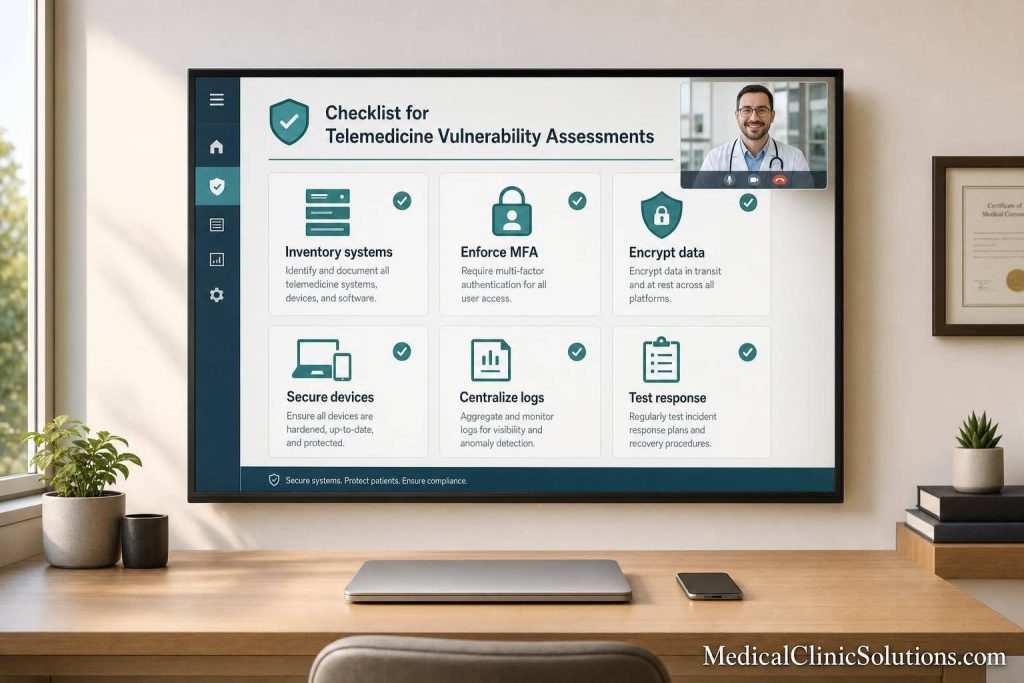
A telemedicine security review should answer one question fast: where can PHI leak, and what do I fix first? In this checklist, I focus on the areas that matter most: system scope, HIPAA/HITECH and state rules, platform settings, user access, devices, network logs, and incident response.
Here’s the short version:
- I start by listing every system, device, user role, and integration that touches PHI or ePHI.
- I map how data moves between video visits, portals, messaging tools, APIs, and EHR/EMR systems.
- I rank risk by likelihood and impact so high-risk items get handled first.
- I check platform settings like TLS 1.2+, AES-256, retention rules, recording limits, and session timeouts.
- I review user access controls like MFA, role-based access, and account offboarding.
- I check clinician endpoints for patching, disk encryption, screen locks, EDR, and remote wipe.
- I make sure network traffic is segmented, logs are centralized, and response plans are tested.
A few hard numbers stand out in the article: 15-minute session timeouts for unattended or unmanaged devices, 6-year audit log retention, and encryption standards like TLS 1.2+ and AES-256. Those are not minor settings. They shape how your team lowers privacy and compliance risk day to day.
If I had to boil the checklist down even more, it would be this: know your systems, lock down access, secure every device, log everything that matters, and test your response plan before an incident happens.
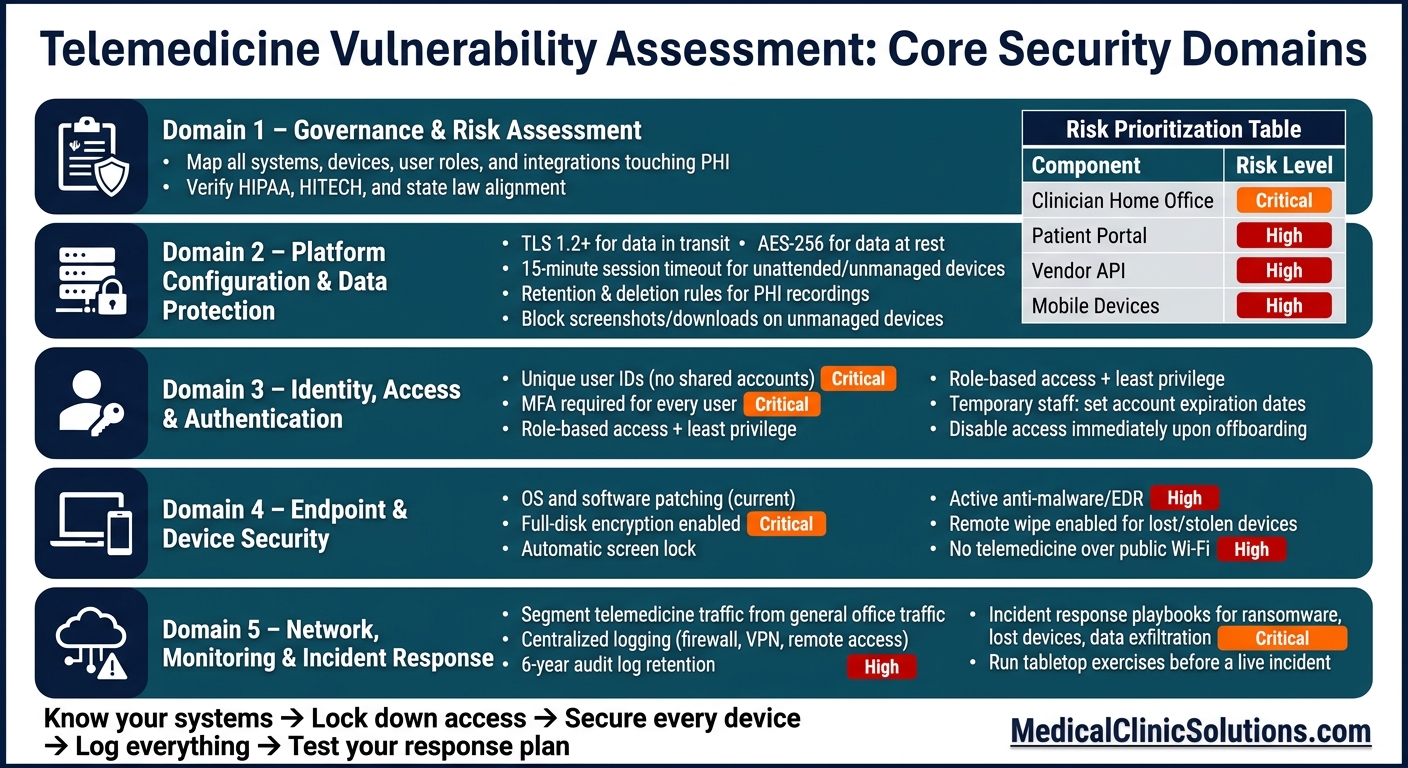
Telemedicine Vulnerability Assessment Checklist: 5 Core Security Domains
Governance and Risk Assessment Checklist
Start with a full inventory of your systems, owners, data flows, and legal duties. This section covers HIPAA Security Rule administrative safeguards, HITECH, NIST SP 800-66 Rev. 2, and state telehealth and breach-notification laws that apply to your setup.
Define Telemedicine Scope, Systems, and Data Flows
List every system, device, user role, and integration that touches PHI. That includes telemedicine software solutions, patient portals, messaging tools, API connections, EHR/EMR integrations, and clinician devices.
Then map the path of PHI from start to finish: where it begins, where it moves, where it sits, and who can get to it. For each part, document the system owner, the data involved, and whether there is a current Business Associate Agreement (BAA) in place. This inventory becomes the baseline for the rest of the review.
Verify Alignment with HIPAA, HITECH, and State Law
Make sure your assessment lines up with current HIPAA, HITECH, and state rules. Your policies and procedures should cover telehealth use cases, not just general clinical workflows.
If you work across state lines, track each state’s rules on its own and document how your team handles them. That step matters because these rules shape the controls you review next.
Risk Prioritization Table
Once your systems are mapped and your compliance checks are in place, rank the findings. This helps your team put time and effort where the risk is highest. It also gives you a clear record showing why some issues were handled before others.
| Telemedicine Component | Key Vulnerability | Likelihood | Impact | Priority |
|---|---|---|---|---|
| Clinician Home Office | Unsecured Wi-Fi / Shared space | High | High | Critical |
| Patient Portal | Weak authentication (no MFA) | High | Medium | High |
| Vendor API Integration | Lack of signed BAA for AI features | Medium | High | High |
| Mobile Devices | Device theft / Lack of encryption | Medium | High | High |
Update this table after each assessment cycle. Every Critical or High item should have a named owner and a remediation deadline. Those top-priority items should also guide the platform configuration checks in the next section.
Platform Configuration and Data Protection Checklist
Start with the Critical and High items from your risk table. After that, make sure the telemedicine platform is set up to keep PHI safe.
Verify Encryption, Storage, and Recording Controls
Encrypt video, chat, file uploads, and APIs while data is moving. Encrypt backups, recordings, and other stored PHI when data is sitting in storage. Use TLS 1.2+ for data in transit and AES-256 for data at rest, including recordings and backup files.
You’ll also want clear retention and deletion rules for stored PHI, including session recordings. If unmanaged devices are in the mix, block recordings, screenshots, downloads, browser cache, and local storage of ePHI. Set automatic session timeouts to 15 minutes on unattended or unmanaged devices. Any device that stores ePHI should also have workstation and media controls in place.
Next, check who can get into the platform and which devices are allowed to connect.
Confirm Secure Integrations and Vendor Security Documentation
For every integration, verify OAuth/TLS, least-privilege permissions, cross-system audit logging, and a signed BAA before go-live. A BAA matters, but it does not replace vendor security controls or audit-log review.
Control Coverage Table
Use the table to mark each control as implemented, partial, or missing.
| Control | Telemedicine Risk Addressed | Status |
|---|---|---|
| Encryption in Transit (TLS 1.2+) | Interception of video, chat, or file transfers | Implemented |
| Encryption at Rest (AES-256) | Unauthorized access to stored recordings or backups | Implemented |
| Secure APIs (OAuth/TLS) | Data leaks during system-to-system integration | Partial |
| Retention & Deletion Rules | Retaining PHI beyond legal or clinical need | Missing |
| Audit Logging | Inability to track who accessed PHI and when | Implemented |
| Immutable Audit Logs (6-year retention) | Tampering with medical records | Required |
| Session Timeout Controls | Unauthorized access on unattended devices | Partial |
After encryption and storage controls, move to authentication, permissions, and endpoint security.
Identity, Endpoint, and Session Security Checklist
Once encryption and storage settings are in place, the next step is access. This is where a lot can still go wrong. If user accounts, clinician devices, or live visit sessions are weak, PHI can still be exposed even when the platform itself is encrypted.
Confirm Authentication, Authorization, and Account Controls
Each user should have their own user ID. Shared accounts make it hard to know who did what, and that creates risk fast. MFA should be on for every user.
Access should follow role-based permissions and least privilege. In plain English: people should only get the access they need to do their job. Administrative access and clinical access should stay separate, and permissions should be reviewed on a regular basis.
Temporary staff and contractors need tighter limits. Set account expiration dates up front, then disable access as soon as that work ends.
Assess Clinician Devices and Home-Office Security
Strong account controls only go so far. If the device itself is exposed, the account can be too.
Clinician devices should stay patched and protected from loss, theft, and unwanted access. If a laptop, tablet, or phone goes missing, remote wipe should already be enabled.
| Control | Minimum Standard |
|---|---|
| OS and software patching | Patch status is current |
| Disk encryption | Full-disk encryption enabled |
| Screen lock | Automatic screen lock |
| Anti-malware / EDR | Active endpoint protection installed |
| Remote wipe | Enabled for lost or stolen devices |
Device settings matter, but so does the room around the device. Home offices need basic physical safeguards. And telemedicine visits should never run over unsecured public Wi-Fi.
For virtual visits, use session controls that put the host in charge:
- Passwords for meetings
- Waiting rooms
- Host controls
- Automatic timeout
- Re-authentication for sensitive actions
Network, Monitoring, Incident Response, and Conclusion
Once accounts and devices are locked down, the next step is to check how telemedicine traffic is isolated, logged, and restored if something goes wrong.
Telemedicine traffic should stay separate from general office traffic. Firewall rules should allow only the ports and protocols the platform needs. Remote access should also stay tight: only approved users, approved devices, and approved connection methods should get in.
Verify Logging, Monitoring, and Incident Response Readiness
Send firewall, VPN, and remote-access logs to a central monitoring system. Keep logs in one place, retain them based on policy, and review high-priority alerts on a set schedule.
Monitoring by itself doesn’t do much if no one knows how to respond. Your incident response plan should spell out the response sequence for each scenario and be tested before anything happens. That includes playbooks for ransomware, lost devices, and suspected data exfiltration.
Run a tabletop exercise so the team can practice the plan before a live event. It’s a simple way to spot gaps while the stakes are still low.
Conclusion: Core Controls Every Practice Should Verify
These controls, combined with medical clinic solutions for efficiency, help lower the odds that a security incident turns into a larger operational or compliance issue.
FAQs
How often should a telemedicine vulnerability assessment be performed?
Telemedicine vulnerability assessments should be performed on a regular basis and treated as a process that continues over time, not a one-time task. HIPAA-related risk analyses should also be updated and repeated so they reflect new threats as they appear.
A practical way to handle this is to use a risk-based, documented schedule instead of relying on one fixed interval. That usually means routine checks, paired with deeper assessments at set points over time.
Which telemedicine risks should be fixed first?
Fix regulatory and PHI-handling gaps first, before nice-to-have hardening. Put HIPAA compliance and required safeguards for ePHI at the top of the list.
Start with encryption in transit and at rest, strong access controls, audit logging, and patient identity checks. Then move to backup and restore readiness for patient-facing systems, and update your risk analysis after any integration or configuration change.
What should a telemedicine incident response plan include?
A strong telemedicine incident response plan needs to do three things well: handle breach notification, get systems back up, and make sure staff know what to do when something goes wrong.
For breach notification, the plan should spell out how to notify affected individuals within 60 days. It also needs clear steps for reporting breaches that affect 500 or more people to the Department of Health and Human Services and local media. When the pressure is on, vague instructions don’t help. Teams need a plain process they can follow fast.
The plan should also cover the HIPAA-required contingency elements:
- A data backup plan
- A disaster recovery plan
- Emergency mode operations
- Testing and revision procedures
- An application criticality analysis
These pieces work together. Backups help you keep data safe, disaster recovery gets systems running again, emergency mode operations guide care during downtime, testing and revision keep the plan current, and an application criticality analysis shows which systems need attention first.