
Top Scheduling Software for Small Medical Practices
Finding the right scheduling software can help small medical practices reduce no-shows, improve patient satisfaction, and streamline operations. This guide covers five leading platforms tailored for different needs, offering features like online booking, automated reminders, and EHR integration.
- Jane App: Great for health and wellness clinics. Offers real-time booking, HIPAA compliance, and optional AI tools. Pricing starts at $54/month.
- SimplePractice: Ideal for mental health providers. Combines scheduling, billing, and telehealth with a user-friendly patient portal. Plans start at $49/month.
- Tebra: Comprehensive solution for independent practices. Includes online scheduling, insurance verification, and AI-powered documentation. Pricing is customized.
- NexHealth: Integrates with existing EHRs, offering real-time syncing, digital forms, and 24/7 booking. Starting at $299/month.
- Solutionreach: Focuses on patient engagement with automated reminders, recall systems, and text-to-pay features. Pricing is custom-quoted.
Quick Comparison
| Feature | Jane App | SimplePractice | Tebra | NexHealth | Solutionreach |
|---|---|---|---|---|---|
| HIPAA Compliant | Yes | Yes | Yes | Yes | Yes |
| Online Booking | Yes | Yes | Yes | Yes | Yes |
| Automated Reminders | Yes | Yes | Yes | Yes | Yes |
| Starting Price (USD) | $54/month | $49/month | Custom | $299/month | Custom |
| Best For | Health Clinics | Mental Health | Independent | High-growth | Patient Outreach |
Choose the software that aligns with your practice’s size, specialty, and workflow needs. Each platform offers unique features to help you manage appointments efficiently and enhance patient care.
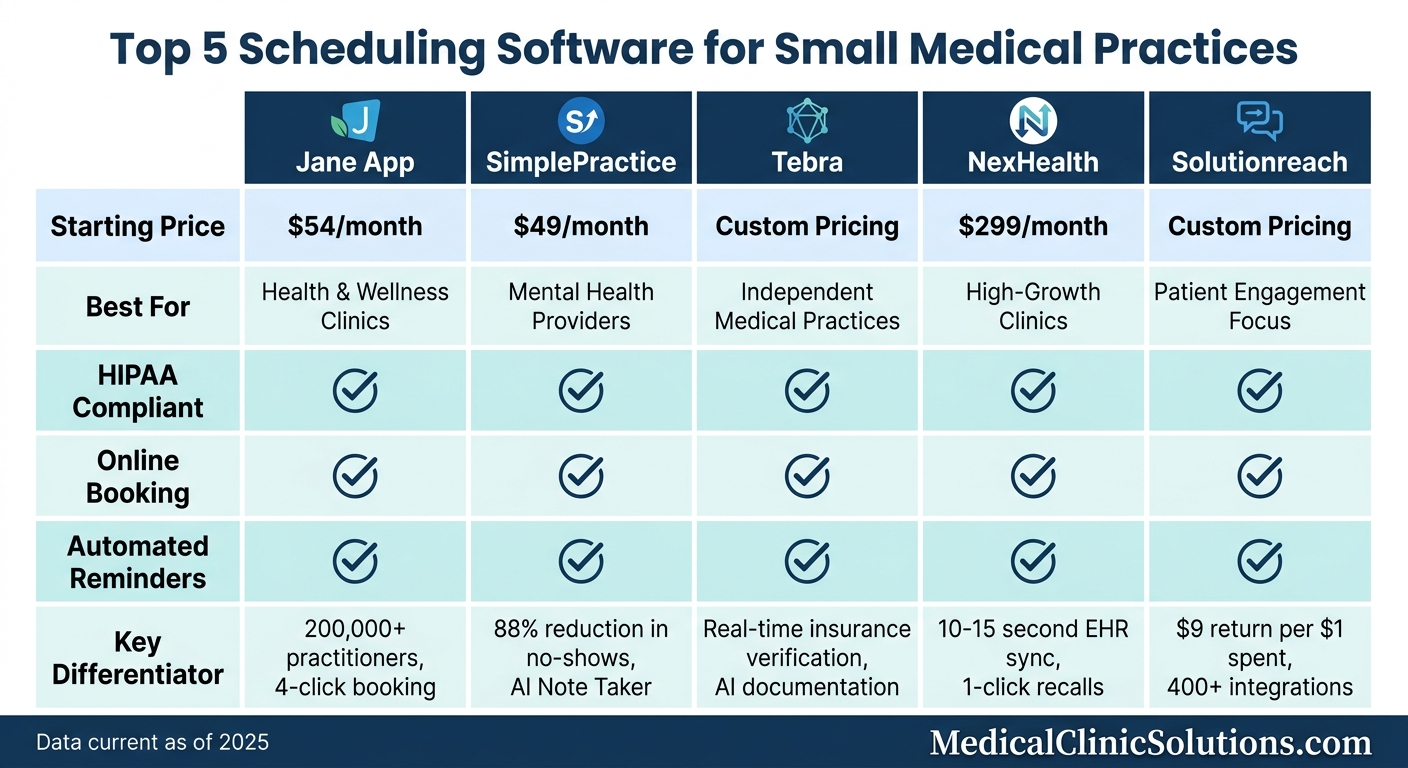
Scheduling Software Comparison for Small Medical Practices: Features and Pricing
Appointment Booking Software for Medical Practices Faster Bookings, Happier Patients
Jane App
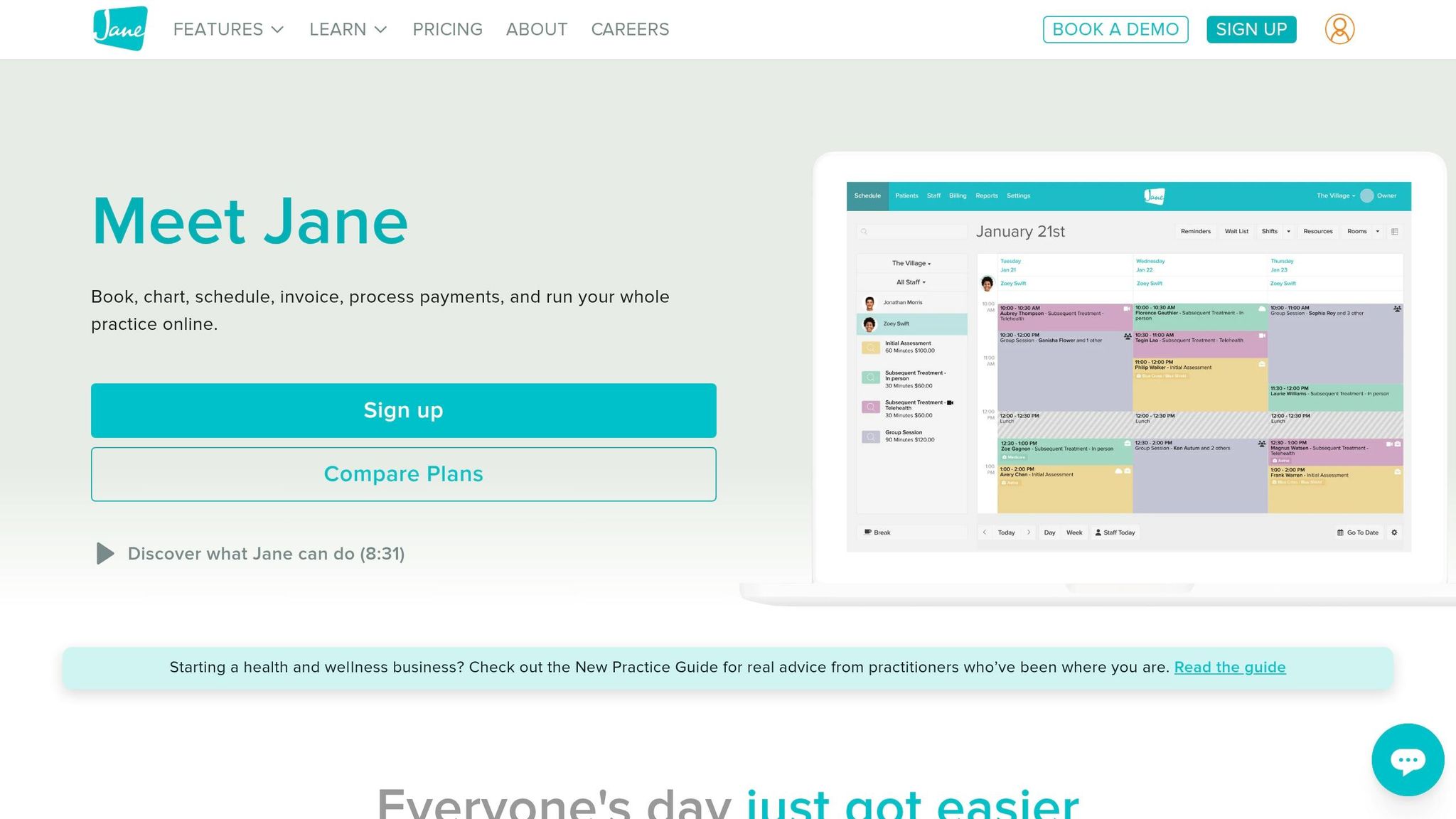
Jane App combines scheduling, charting, billing, and telehealth into one platform, tailored for health and wellness clinics. Trusted by over 200,000 practitioners, it’s especially appealing to small practices since it doesn’t charge for administrative or support staff profiles – you only pay for practitioner licenses that book appointments.
The platform’s scheduling tools are designed to save time. Patients can use an online portal to book appointments in real time, eliminating the need for lengthy phone calls. A handy "Magnifying Glass" tool highlights open slots and allows appointments to be booked in just four clicks. For handling cancellations, the smart waitlist automatically alerts patients via SMS or email when new openings become available.
Jane also boasts a 99.9% uptime, with data securely stored in regional centers across the USA, Canada, UK, and Australia. It complies with HIPAA, PIPEDA, and GDPR standards [9,10,13]. Plus, its library of over 10,000 community-created chart templates saves practitioners the hassle of building documentation from scratch.
Here’s a closer look at the platform’s standout features.
Key Features
Jane App simplifies resource management, allowing clinics to track rooms, equipment, or multiple locations from a single dashboard [11,12]. A "Privacy Mode" shortcut helps front desk staff protect patient confidentiality by obscuring names on schedules when working in public spaces.
Other notable features include integrated telehealth (one-on-one sessions are free with all plans), insurance billing tools, and the optional AI Scribe add-on for automated documentation. Together, these tools aim to streamline clinic operations.
Pros and Cons
Advantages: Jane is frequently praised for its customer support, with 84% of users expressing positive feedback about their experience. Its all-in-one design eliminates the need for multiple software subscriptions, and the ability to generate invoices in just two clicks speeds up billing processes. Rachel Kohl, a clinic owner, shared her thoughts:
"Jane gives me much better reporting, and scheduling options (particularly the online booking portal which patients LOVE), and their customer service is stellar".
Limitations: Some advanced features, like insurance billing ($20/month), AI Scribe ($15/month per practitioner), and Group Telehealth ($15/month per practitioner), come with additional costs. Solo practitioners may find it pricier compared to simpler alternatives, and the initial setup can be a bit challenging. Additionally, users have occasionally reported audio and video quality issues during telehealth sessions.
Pricing
Jane’s feature-rich platform is available through a tiered pricing model, with no long-term contracts and monthly billing in USD:
| Plan | Price | Best For | Key Details |
|---|---|---|---|
| Balance | $54/month | Solo startups | Max 20 appointments/month; 1 practitioner profile |
| Practice | $79/month | Growing clinics | Unlimited appointments; includes 1 full-time practitioner |
| Thrive | $99/month | Established clinics | Advanced scheduling (rooms/equipment) and marketing tools |
Additional practitioners cost $35/month (full-time) or $17.50/month (part-time) under the Practice plan, and $40/month (full-time) or $20/month (part-time) under the Thrive plan. Payment processing fees are 2.85% + $0.25 for online transactions and 2.6% + $0.10 for in-person terminal payments. Clinics with 10 or more practitioners can request a "Jane Payments" rate review and benefit from eight weeks of personalized onboarding support.
SimplePractice
Efficient scheduling can make or break a practice, and SimplePractice delivers a solution that simplifies this process. Designed for health and wellness professionals, it combines scheduling, documentation, billing, and telehealth into one streamlined platform. With over 250,000 practitioners serving more than 20 million clients, SimplePractice is especially well-suited for therapists, speech-language pathologists, occupational therapists, and small practices. It’s no surprise that TechRadar named it the #1 EHR Software of 2025.
The platform’s scheduling system allows patients to request appointments online 24/7, eliminating the need for phone calls. Automated reminders – sent via text, email, or voice – help reduce no-shows, with 88% of practitioners reporting fewer missed appointments. In fact, practices can cut their no-show rates by up to 50%. To avoid double bookings, the calendar syncs with Google, Outlook, and Apple calendars.
Beyond scheduling, SimplePractice enhances the patient experience with a secure portal for paperless intake forms, digital signatures, provider messaging, and online payments. Telehealth features include HIPAA-compliant video sessions with waiting rooms, screen-sharing, and interactive whiteboards. For documentation, practitioners can use customizable templates, Wiley Treatment Planners, and an optional AI-powered Note Taker, which can save practices over $25,000 annually.
The platform also simplifies insurance billing with tools for electronic claim filing, automated payment reporting, and integrated credit card processing. Additional features, like a professional website builder and a listing in the "Therapy Finder" directory, help small practices attract new clients. With these capabilities, SimplePractice offers a comprehensive solution for managing a practice efficiently.
Key Features
SimplePractice consolidates the entire patient workflow into one dashboard, offering features such as:
- Telehealth: HIPAA-compliant video sessions with screen-sharing and interactive whiteboards.
- Patient Portal: A secure space for clients to complete forms, schedule appointments, and communicate with providers.
- Customizable Scheduling: Automated reminders via text, email, and voice, plus calendar syncing to prevent conflicts.
- Group & Team Management: Tools for managing group appointments and multi-provider practices.
- Documentation Tools: Customizable note templates, Wiley Treatment Planners, and an optional AI Note Taker ($35/month per clinician) to streamline record-keeping.
- Insurance Billing: Integrated tools for filing electronic claims, checking coverage, and recording payments.
Pros and Cons
While SimplePractice offers robust functionality, it’s important to weigh its strengths against its limitations.
Advantages:
The platform’s all-in-one design eliminates the need for multiple software subscriptions, integrating scheduling, billing, and documentation seamlessly. Features like automated reminders significantly reduce no-shows, and the AI-powered Note Taker can save practices thousands annually. Solo practitioners can reclaim about 5 hours weekly, while insurance-based practices might save up to 10 hours on administrative tasks. The mobile app and client portal are also frequently praised for being user-friendly.
Limitations:
SimplePractice lacks a public API, which limits its ability to integrate with third-party software. It also doesn’t support HIPAA-compliant eFax. Pricing may be a concern for smaller practices, as it’s higher compared to basic scheduling tools. Additionally, transaction fees for credit card processing (3.15% + $0.30 per transaction) and electronic claim filing ($0.25–$0.50 per claim) add to costs. Lastly, its focus on mental health and wellness practices may not meet the needs of general medical practices requiring broader clinical integrations.
Pricing
SimplePractice offers three subscription plans, all billed monthly in USD, along with a 30-day free trial. New users may also qualify for a 50% discount during their first three months.
| Plan | Monthly Cost | Best For | Key Features |
|---|---|---|---|
| Starter | $49 | Solo/new practices | Unlimited clients, telehealth, paperless intake, online appointment requests |
| Essential | $79 | Growing practices | Everything in Starter plus appointment reminders, insurance billing (10 free claims/month), custom templates |
| Plus | $99 | Group practices | Everything in Essential plus multi-clinician support, group appointments, white-label portal, 35 free claims/month |
Additional Costs and Add-ons:
- Additional clinicians (Plus plan only): $69–$74/month
- Practice managers: $39/month
- ePrescribe: $49/month per clinician, plus a one-time $89 setup fee
- Credit card processing fees: 3.15% + $0.30 per transaction
- Electronic claim filing: $0.25–$0.50 per claim after the included monthly amount
Tebra
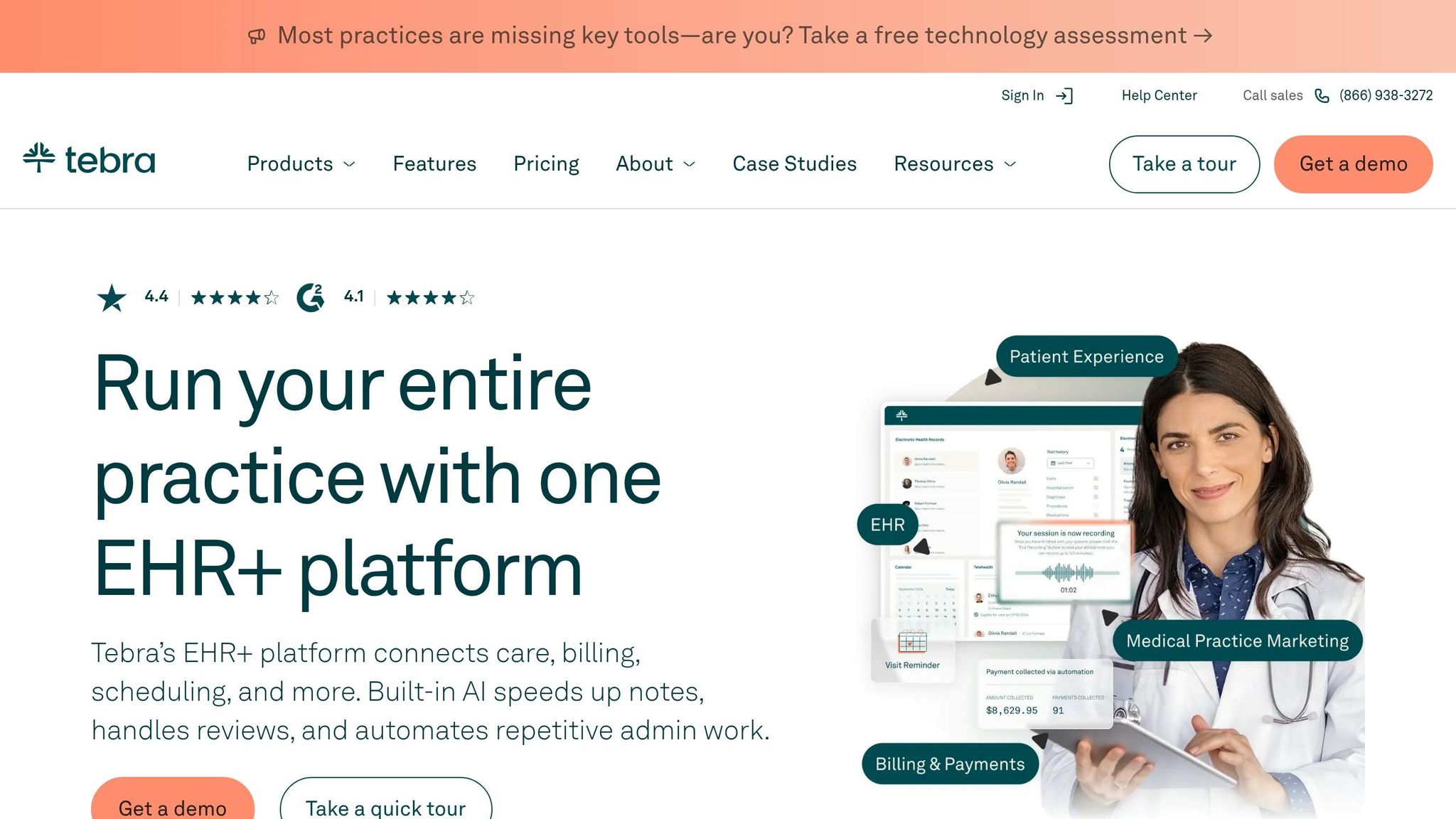
Small practices often need systems that integrate everything seamlessly. Tebra steps in with an all-in-one EHR platform that combines documentation, billing, scheduling, and patient engagement. Designed specifically for independent medical practices (not large hospital systems), Tebra is trusted by more than 150,000 providers and 42,000 practices across the U.S..
What sets Tebra apart is how effortlessly its scheduling tools connect with the rest of the platform. For instance, patients can book appointments online 24/7 through a booking URL that can be embedded on websites, emails, or even text messages. Once an appointment is booked, the system automatically creates a patient chart and verifies insurance eligibility in real time. This automation not only reduces back-and-forth communication but also lowers the risk of claim denials. A great example is Dr. Roeback, Ph.D., from Mind Body and Spirit Counseling Services, who saw a 95% increase in online appointment requests after implementing Tebra’s scheduling tools. These efficiencies boost both practice operations and patient satisfaction.
Tebra also helps reduce no-shows with automated reminders, speeds up patient check-ins by sending digital intake forms ahead of time, and offers one-click scheduling for telehealth visits – all fully integrated into the platform.
"We love the online scheduling feature and being able to text our patients in real time. Tebra has modernized our practice and made communication with our patients more efficient!" – Dana Leary-Jokerst, Physician and Owner, Pediatric Associates of Kentwood, PC
Tebra’s platform is HIPAA-compliant and comes with SOC 2, HITRUST, and PCI certifications, ensuring patient data and payments are secure. It also provides specialty-specific workflows and templates tailored for fields like primary care, mental health, pediatrics, dermatology, and chiropractic care. Recognized as a G2 EHR Leader for Winter 2026 and rated 4.4/5 on Trustpilot, Tebra has earned its place as a go-to solution for small practices looking to streamline operations.
Key Features
- 24/7 Online Booking: Patients can schedule appointments anytime using a booking URL embedded in websites, email signatures, or text messages.
- Automated Reminders: Text, email, or phone reminders reduce no-shows and assist with MIPS reporting.
- Digital Intake Forms: Forms sent before appointments automatically create patient charts, cutting down waiting room paperwork.
- Real-Time Insurance Verification: Insurance eligibility is checked during scheduling to minimize claim denials.
- Two-Way HIPAA-Compliant Messaging: Secure messaging allows staff to confirm appointments and answer patient questions.
- Integrated Telehealth: Virtual visits can be scheduled with one click, syncing seamlessly with provider notes and calendars.
- AI-Powered Documentation: AI Note Assist reduces charting time from 30–60 minutes to under 5 minutes per patient.
Pros and Cons
Here’s what users have to say about Tebra:
Advantages
Tebra’s all-in-one integration combines EHR, billing, and scheduling under one platform, eliminating the need for multiple software subscriptions. This simplicity has driven high adoption rates among users. For example, Angela Davis-Taylor, FNP-C at Daisy Family Health Care, shared that AI Note Assist cut her charting time from up to an hour to just 5 minutes per patient. Additionally, Tebra’s provider-based pricing model allows unlimited access for non-clinical staff at no extra cost. Onboarding is also smooth, thanks to dedicated managers who help practices transition quickly.
Limitations
While the platform offers robust features, new users may face a learning curve. However, Tebra provides live video-chat support and training to ease the process. Pricing isn’t transparent upfront, as costs are tailored to the practice’s needs through a demo. Lastly, while ideal for independent practices, Tebra might not suit large hospital systems or practices needing highly specialized integrations.
Pricing
Tebra uses provider-based pricing, meaning non-clinical staff can access the platform without additional fees. Pricing depends on the selected modules (EHR, billing, patient engagement), the number of prescribing providers, and implementation requirements. The platform offers two main bundles: Practice Essentials (includes billing, EHR, and telehealth) and Practice Automation (adds patient engagement tools). Practices billing fewer than 100 claims per month may qualify for discounted low-volume pricing. Additional costs include approximately $75 per provider for EPCS setup, $500 per facility, and around $50 per user annually for PDMP integration.
"A two-provider practice can have 10+ staff members using the system for the price of just two provider subscriptions, making it one of the most cost-effective models for growing independent practices." – Tebra
Chimezie Chidi, M.A., CCC-SLP at Celebrations Speech Group, highlighted the platform’s scalability, which allowed his practice to open two new locations within a year.
NexHealth
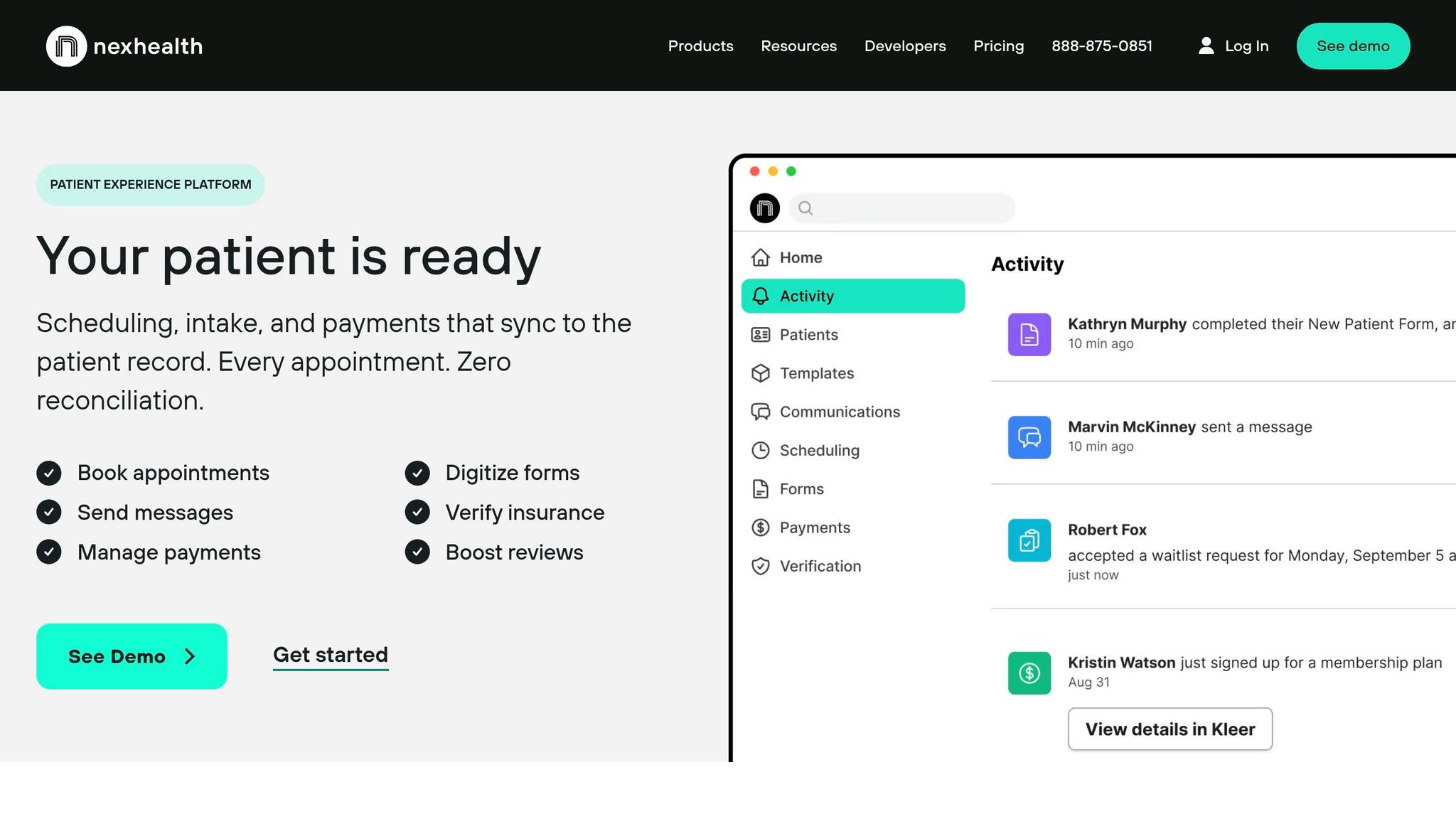
For small practices aiming to improve patient experience without overhauling their current EHR, NexHealth offers a practical solution. Acting as a bridge between existing health record systems and modern digital tools, NexHealth integrates seamlessly with platforms like Dentrix, athenahealth, and eClinicalWorks. Its proprietary "Synchronizer" updates availability every 10–15 seconds, allowing patients to book appointments 24/7 via your website, Google Search, social media, email, or SMS – all while keeping your schedule perfectly in sync with your EHR.
NexHealth is particularly effective for automating time-consuming administrative tasks. It handles about 75% of these duties, including sending appointment reminders and verifying insurance eligibility across over 1,200 payors [33,36]. For example, Norbo Dental increased annual revenue by $150,000 by filling cancellations through their waitlist, while Lone Star Smiles added over 1,000 active patients in just five months, averaging 20 new online bookings monthly [33,35,36].
The platform’s "1-Click Recall" feature simplifies follow-ups by sending personalized booking links via SMS or email, enabling patients to schedule with a single tap. This feature helped The Dermatology Specialists cut no-shows and cancellations by 50%, while Dr. Turnwald of Benjamin Turnwald Dentistry reported zero no-shows when new patients secured appointments with a credit card [36,37].
"NexHealth delivers us new patients, makes our scheduling more productive, and keeps our chairs filled." – Dr. Michael J. Watson, Perfect Smile Dental [36,37]
NexHealth boasts a sub-0.5% monthly churn rate and a perfect 5/5 star rating on Capterra, demonstrating its reliability. It is HIPAA-compliant and offers two-way secure messaging, digital intake forms, and integrated payment processing that syncs directly with your practice ledger [33,34].
Key Features
- Real-Time EHR Synchronization: Automatically updates availability every 10–15 seconds.
- 24/7 Omnichannel Booking: Patients can book via your website, Google Business Profile, social media, email, SMS, or QR codes [35,37].
- 1-Click Recalls: Simplifies follow-ups by sending direct booking links [37,38].
- Automated Waitlist: Fills schedule gaps by notifying patients of last-minute cancellations [36,37].
- Digital Intake and Insurance Verification: HIPAA-compliant forms and automatic insurance checks across 1,200+ payors [34,36].
- Reserve with Credit Card: Reduces no-shows by securing appointments with a card [36,37].
- Two-Way HIPAA-Compliant Messaging: Enables secure communication for confirmations and queries.
Pros and Cons
NexHealth’s integration capabilities and automation tools save staff time and improve efficiency. For instance, Trident Smiles Dental doubled its patient base and grew to $3 million in revenue between 2019 and 2023 using NexHealth’s features [45,37]. The platform also offers U.S.-based customer support with response times under one minute and has been credited with increasing positive reviews by 40% due to a better patient experience. Additionally, the lack of long-term contracts minimizes financial risk for small practices [33,36].
However, the starting price of $299 to $350 per month may be a hurdle for solo practitioners or very small clinics [34,40]. While the Starter Plan covers essential features like online scheduling and reminders, advanced options such as payment processing, telehealth, and API access require upgrading to custom plans. Some users have also reported occasional synchronization lags with specific management systems, though such occurrences are rare [41,42].
"Hands down the best system I’ve used. And I’ve used at least 6 others." – Shaye, Practice Administrator [33,35]
Pricing
NexHealth offers tiered pricing to accommodate various practice needs. The Starter Plan, priced between $299 and $350 per month, includes basic features like online scheduling, digital forms, automated reminders, patient messaging, and basic reporting [34,41,42]. The Standard Plan, with custom pricing, adds two-way messaging, review management, advanced analytics, and support for multiple locations. The Pro Plan, also custom-priced, includes payment processing, telehealth, API access, and dedicated support.
Practices can choose month-to-month billing or pay annually upfront. While NexHealth promotes a no long-term contract policy, some users have experienced initial three-month terms [42,45]. Cancellation fees are not charged if notice is given before the next billing cycle, whether monthly or 90 days for annual plans. The platform also offers a contract buyout program to ease the transition from other vendors, though credit card processing fees may apply for online or terminal-based payments.
"To have a software that really does work so seamlessly for patient automation, it blows my mind. I had very little faith. My only regret is not finding NexHealth sooner." – Marilyn Reber, Practice Manager, Camelback Dentistry + Orthodontics
Solutionreach
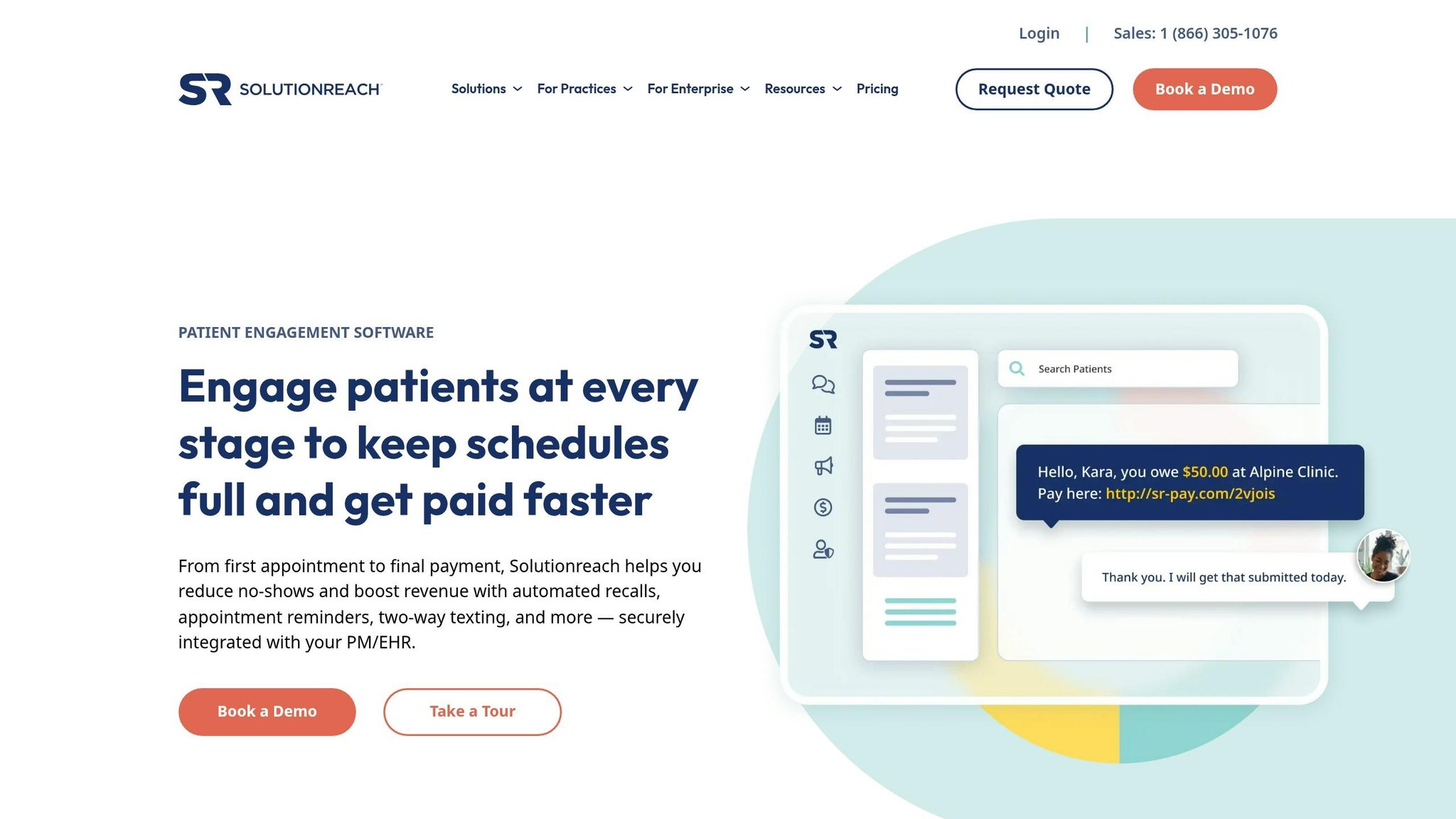
For small practices overwhelmed by manual appointment confirmations, Solutionreach offers a way to automate patient outreach from booking to payment. With compatibility across more than 400 practice management and EHR systems, most practices can start using the platform within a week, supported by expert guidance. This integration ensures you can maintain your existing workflows since Solutionreach syncs seamlessly with your current systems.
One standout feature is the automated Recall system, which reactivates inactive patients to fill scheduling gaps. This tool has shown impressive results, such as returning $9 for every $1 spent and reducing no-shows by 50% in one optometry practice. Automated two-way texting, emails, and voice reminders now reach up to 90% of patients, significantly reducing staff workload. Tanya Mazur, Imaging Coordinator at Citrus Heights Dental, highlights this benefit:
"Since we don’t have to call patients anymore, it saves us a ton of time. We are able to do other tasks around the office and Solutionreach gathers the confirmations for us".
Beyond scheduling, the platform offers digital intake forms, contactless check-ins, patient satisfaction surveys, and tools for managing online reviews. Their Revenue Cycle Messaging add-on simplifies collections with text-to-pay links and insurance eligibility checks for over 1,200 payors. Katie Curcio from Revere Health shares her experience:
"I love being able to communicate with patients quickly. I am able to multitask much easier than if I had to call every patient and play phone tag".
By streamlining appointment reminders, patient recall, and digital communications, Solutionreach helps small practices address their scheduling and communication challenges effectively.
Key Features
Solutionreach focuses on automating appointment reminders through text, email, and voice notifications, which can dramatically reduce no-shows without requiring staff involvement. The platform also provides a 24/7 online scheduling tool, meeting the preferences of 75% of patients who favor booking appointments online over making phone calls. Digital intake forms and contactless check-ins allow patients to handle paperwork on their own devices, saving time for both staff and patients.
The patient recall system identifies and contacts inactive patients, helping fill open slots in the schedule. Two-way texting ensures secure, HIPAA-compliant communication for quick responses. Tools for managing online reviews and patient satisfaction surveys help practices enhance their online presence and gather valuable feedback.
For financial management, Solutionreach includes insurance eligibility verification for over 1,200 payors and text-to-pay features that send payment links immediately after appointments. Batch messaging enables targeted communication with specific patient groups, while seamless integration with existing systems ensures minimal disruption.
Pros and Cons
Solutionreach offers substantial time savings by automating manual tasks like appointment confirmations and patient outreach. Its wide range of integrations and quick onboarding process (usually under a week) make it easy to implement without disrupting current workflows. Reviews reflect its strong performance, with a 4.0/5 overall rating and higher scores on platforms like G2 (4.3/5) and Capterra (3.8/5).
The Recall feature is particularly effective as a revenue driver, with many practices justifying the subscription cost through increased patient reactivation. Dr. Justin Bazan of Park Slope Eye puts it this way:
"I talk to a lot of other doctors who worry about spending money on technology. My response is that you can’t afford not to have technology like Solutionreach. You have to see this as something that generates business and creates an overall better experience".
That said, the lack of transparent pricing can make it harder for practices to compare options, as pricing requires a custom quote or demo. Additionally, the platform requires a yearly contract, which may not suit practices that prefer more flexible, month-to-month arrangements. Initial setup involves integrating with your current PM/EHR system, which could pose specific technical challenges.
Pricing
Solutionreach uses a tiered subscription model with pricing customized to each practice’s needs.
- The Essentials Package includes key features like two-way texting, appointment reminders, patient recall, and basic online scheduling.
- The Plus Package expands on this with digital intake forms, patient surveys, batch messaging, reputation management, and advanced marketing tools.
- The Enterprise Package, designed for larger organizations with multiple locations, offers centralized management, reporting APIs, and unified settings.
The Revenue Cycle Messaging add-on is available for any package, featuring insurance eligibility verification, secure document sharing, e-signatures, and payment tools. All plans require an annual contract, and monthly costs vary based on practice size and chosen features. While the lack of upfront pricing may be a drawback, the platform’s claim of a $9 return for every $1 invested highlights its potential for cost savings and increased efficiency.
| Feature | Essentials | Plus | Enterprise |
|---|---|---|---|
| Two-Way Texting | Included | Included | Included |
| Appointment Reminders | Included | Included | Included |
| Patient Recall | Included | Included | Included |
| Online Scheduling | Basic | Pro | Pro |
| Digital Intake Forms | No | Included | Included |
| Patient Surveys | No | Included | Included |
| Reputation Management | No | Included | Included |
| Insurance Eligibility | Add-on | Add-on | Included |
| Text-to-Pay | Add-on | Add-on | Included |
Feature and Pricing Comparison
When selecting scheduling software, it’s crucial to weigh key factors like cost, ease of use, and essential features. Here’s a side-by-side comparison of core features and entry-level pricing for popular solutions:
| Feature | Jane App | SimplePractice | Tebra | NexHealth | Solutionreach |
|---|---|---|---|---|---|
| HIPAA Compliant | Yes | Yes | Yes | Yes | Yes |
| Online Booking | Yes | Yes | Yes | Yes | Yes |
| Automated Reminders | Yes | Yes | Yes | Yes | Yes |
| Starting Price (USD) | ~$38–$40/mo | $49/mo | ~$250/mo | ~$299/mo | Custom |
| User Rating | 4.0/5 (G2) | High (Therapy focus) | High (Independent focus) | 4.8/5 (G2) | Moderate (Dated UI) |
| Ideal For | Allied Health/Wellness | Behavioral Health | Independent Medical | High-growth Clinics | Patient Engagement |
For solo practitioners or small teams, Jane App and SimplePractice provide affordable options, combining scheduling, telehealth, and charting tools.
If your practice has more complex needs – like advanced billing or deeper EHR integration – Tebra and NexHealth stand out. NexHealth, in particular, shines with a top user rating of 4.8/5 on G2 and features like real-time availability syncing and digital intake forms.
Solutionreach, with its custom pricing, is tailored for larger practices focused on patient engagement. It offers tools like newsletters, surveys, and automated recall systems. However, some users mention its interface feels outdated.
This breakdown highlights options for small practices aiming to streamline scheduling. It reflects Medical Clinic Solutions’ goal of helping U.S. medical professionals find effective tools for their practices.
How Medical Clinic Solutions Helps You Choose
Finding the right scheduling software for your practice can feel overwhelming. Medical Clinic Solutions simplifies this process by connecting U.S. medical professionals with software and services tailored to their specific needs.
We use a weighted scoring method to evaluate scheduling solutions, focusing on how they perform in real clinic settings. This method addresses common challenges like managing both pre-booked appointments and walk-in patients. Key factors in our evaluations include scheduling flexibility (such as online self-scheduling, multi-provider booking, and waitlist automation), HIPAA compliance, and seamless EHR/EMR integration with major systems like Epic, Cerner, and Athenahealth. This structured approach ensures an objective comparison.
Understanding how a system integrates with your existing infrastructure is critical, and that’s where Medical Clinic Solutions provides additional clarity. For example, if your current EHR supports API integrations, adding a patient engagement layer could enhance functionality. On the other hand, if your system doesn’t allow for integrations, an all-in-one platform with built-in EHR features might be a better option. This insight helps avoid costly mismatches and ensures the chosen software fits seamlessly into your practice.
Beyond evaluations, Medical Clinic Solutions connects clinics with providers offering free, customized quotes. Whether you’re looking for scheduling software, telemedicine tools, medical billing services, or phone systems, we act as a central hub for vetted solutions designed to improve efficiency and patient care. By providing easy access to tailored quotes, we help ensure the solution you pick aligns perfectly with your clinic’s needs.
This process not only saves time but also minimizes the risk of a poor investment. By focusing on practical features like ease of use, automation, and compliance, we help small medical teams find solutions that meet their day-to-day challenges. Our goal is to make adopting the right scheduling software as straightforward as possible.
Conclusion
After examining the top scheduling platforms, it’s evident that the right software can have a big impact on operations and revenue. From reducing costly no-shows to meeting patient expectations for online booking, the right choice ensures smoother workflows and improved satisfaction for both staff and patients.
Each platform has its strengths, tailored to different practice needs. Jane App stands out for allied health practices that need integrated scheduling and charting. SimplePractice is designed with mental health providers in mind. Tebra delivers all-in-one functionality for independent practices, while NexHealth enhances patient engagement without requiring a new EHR. Meanwhile, Solutionreach focuses on communication and automated reminders to keep schedules full.
For solo practitioners, lightweight and affordable tools may be the best fit. Larger clinics with multiple providers often need software that offers advanced resource management. Regardless of the size of your practice, the right system should integrate smoothly with your EHR, cut down on administrative tasks, and provide the self-service options patients now expect.
Medical Clinic Solutions simplifies the process of finding the best scheduling software for U.S. medical professionals. They connect you with vetted providers and offer free, tailored quotes to match your workflow. Whether you need scheduling tools, telemedicine platforms, billing services, or phone systems, they act as a one-stop hub for improving efficiency and patient care. Visit Medical Clinic Solutions to get custom recommendations for all your practice’s needs.
FAQs
Which scheduling software is best for my specialty?
The right scheduling software for your practice largely depends on your specific needs. Some top choices include PracticeSuite, MicroMD, NextGen Healthcare, and Tebra, all of which offer features like appointment management and seamless EHR integration.
For practices that prioritize self-scheduling, waitlists, and automated reminders, Phreesia is a strong contender. If you’re looking for AI-powered scheduling within an EHR system, DrChrono is worth considering. Meanwhile, Setmore stands out for its patient self-service options, telemedicine capabilities, and automated reminders.
When deciding, think about your specialty, the workflows you rely on, and the features that would best support your practice.
Do these tools integrate with my current EHR?
Most scheduling tools tailored for small medical practices come with the option to integrate with EHR systems, though the degree of compatibility can differ. Many current solutions are built to work smoothly with EHR platforms, helping to minimize redundant data entry and maintain consistent records. It’s essential to verify with the vendor whether their software integrates with your specific EHR system, as the functionality depends on both the scheduling tool and your EHR provider.
What hidden costs should I expect beyond the monthly price?
When budgeting for scheduling software, it’s not just the monthly price you need to consider. There are often hidden costs that can add up quickly, including:
- Implementation fees: The cost of setting up the software for your business.
- Customization: Adjustments to tailor the software to your specific needs.
- Training: Expenses for teaching your team how to use the system effectively.
- Ongoing support: Fees for continued technical assistance and updates.
- Optional add-ons: Extra modules or features that aren’t included in the base price.
These additional expenses can have a big impact on the total cost of ownership, so make sure to factor them into your budget to avoid surprises.