
Ultimate Guide to Specialty EHR Template Customization
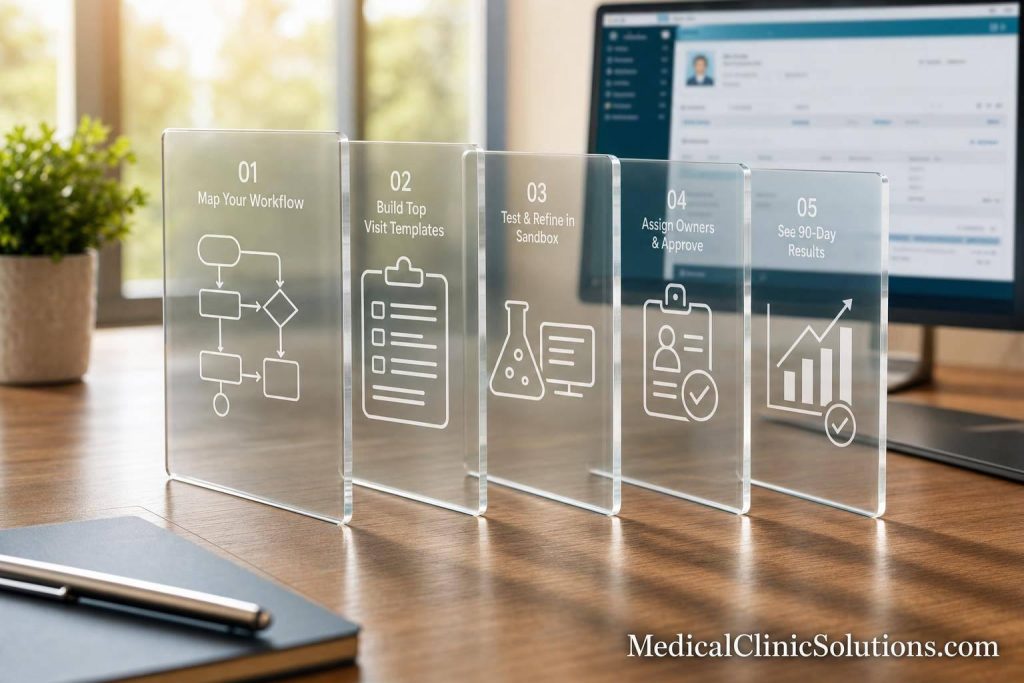
Generic EHR templates slow specialty care down. If I want fewer clicks, less after-hours charting, and cleaner coding, I need to build templates around actual visit flow, test them with staff, assign ownership, and track results for at least 90 days.
Here’s the short version:
- Start with workflow, not software. I first map how visits happen now and where staff lose time.
- Build around top visit types. High-volume visits usually give the fastest wins.
- Keep the note focused. Put required clinical fields first. Move admin and billing inputs out of the main note when possible.
- Use the right mix of fields. Structured fields within your medical billing software help with coding and reporting. Free text should be limited to nuance.
- Test before rollout. Sandbox runs, mock visits, and role-based testing help catch issues early or consider medical billing services to streamline the process.
- Set clear ownership. One owner, one change log, and scheduled reviews help stop template sprawl.
- Measure what changed. Watch note time, after-hours EHR use, denial rates, code mix, and clinician satisfaction.
A few numbers make the case plain:
- 32% of providers point to poor workflow integration as a pain point.
- Poor EHR usability affects 23% of providers.
- One rollout cited in the article cut time in notes by 7.8%.
- Specialty claim denials may drop by 10% to 15% when templates support better coding inputs.
If I had to boil the whole article down to one idea, it’s this: specialty EHR template work is not about adding more fields – it’s about removing friction. That means cleaner layouts, better field order, fewer duplicate steps, and regular review after launch.
| Focus area | What to do |
|---|---|
| Workflow review | Watch visits, find duplicate entry, list pain points |
| Template scope | Start with high-volume visit types |
| Note design | Put common fields first, hide low-use items |
| Data entry | Use structured fields where coding/reporting matter |
| Rollout | Test in sandbox with each role |
| Governance | Assign one owner and track versions |
| Results | Compare pre- and post-launch data over 90 days |
That’s the full playbook in simple terms: map, build, test, govern, measure, and revise.
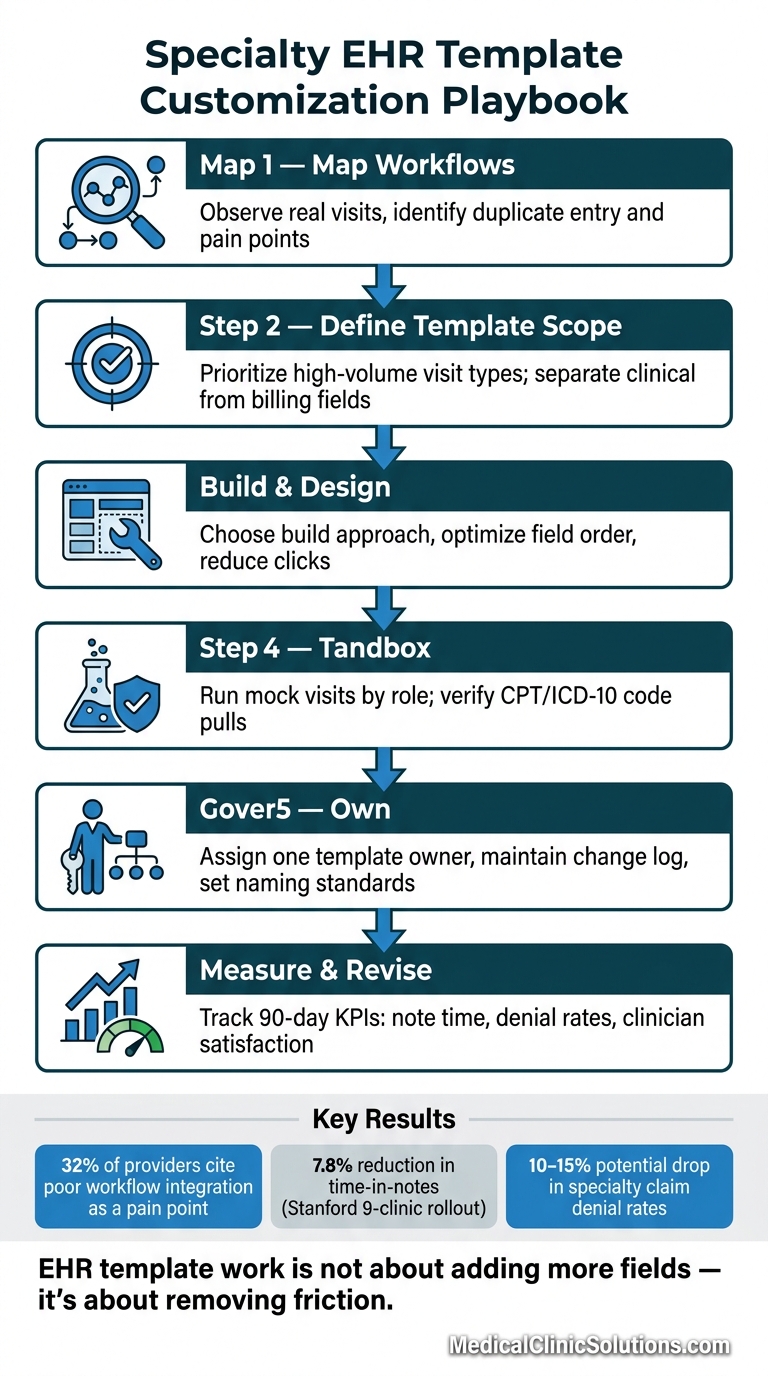
Specialty EHR Template Customization: 6-Step Workflow
EHR Customizable Templates | AdvancedMD
Assess Workflows and Define What Each Specialty Template Must Capture
Before you touch a single template, get a clear view of how documentation happens in your practice right now – not how it looks on paper.
Map Current Documentation Steps and Pain Points
Watch clinicians during actual visits to see where templates slow charting, force duplicate entry, or lead to workarounds. Then talk with the team directly. Physicians, nurses, and front-desk staff run into different problems, and those gaps show up fast when you ask.
A dermatologist, for example, may be stuck with cardiology-style vitals fields that don’t fit the visit. A nurse may be typing in information that was already entered at check-in. Those little snags add up.
Review your current fields and cut anything clinicians often skip or never use.
Once you understand the workflow, define the exact fields each high-volume visit type needs.
Prioritize High-Volume Visit Types and Required Data Fields
Start with the visit types your practice sees most often – annual wellness visits, chronic disease follow-ups, post-procedure visits, and specialty consults. These usually offer the best early efficiency gains.
| Specialty | Priority Visit Type | Required Clinical Fields | Optional/Administrative Fields |
|---|---|---|---|
| Cardiology | Chronic Heart Failure Follow-up | Vitals (BP/weight), EKG strip, med reconciliation | Referral source, prior authorization status |
| Dermatology | Lesion/Spot Check | Image capture, anatomic location, biopsy status | History of sun exposure, family history |
| Orthopedics | Post-Operative Visit | Range of Motion (ROM), pain scale (1–10), incision status | Imaging comparison, physical therapy progress |
| Pediatrics | Well-Child Visit | Growth charts (CDC/WHO), immunization status, developmental milestones | School forms, parent/guardian dynamics |
| OB/GYN | Prenatal Visit | Fundal height, fetal heart tones, gestational age | Maternity leave paperwork, birth plan preferences |
| Mental Health | Therapy Session | PHQ-9/GAD-7 scores, mental status exam | Longitudinal mood tracking, family dynamics |
Set required fields as the default view. Keep optional fields in a secondary spot so the main note stays focused.
After that, split the fields that belong in the clinical note from the data that belongs in billing or intake.
Separate Clinical Documentation from Billing and Administrative Inputs
Templates get messy when clinical, billing, and admin fields all live in the same view. Move admin tasks – insurance confirmation, consent forms, and demographic updates – to digital check-in or patient portals so that information is collected before the visit.
With the required fields mapped out, the next move is choosing the right EHR/EMR solutions and template layouts.
Build Specialty Templates That Match Real Clinical Work
Choose the Right Build Approach for Your Practice
Pick the build method that fits your specialty, your IT bandwidth, and how complex your day-to-day workflow is.
| Build Approach | Flexibility | Setup Effort | Maintenance Needs | Best For |
|---|---|---|---|---|
| Locally Customized | High | Moderate | Moderate | Specialty practices with unique clinical protocols |
| Visit-Specific (Built from Scratch) | Very High | High | High | Complex procedures like surgery or oncology cycles |
| Smart Phrases/Macros | Moderate | Low | Low | Reducing repetitive typing across any template |
| Ambient AI Tools | Very High | Moderate | Low | Big cuts in manual charting |
A good place to start: adjust one or two high-volume templates first instead of trying to redo everything at once. Bring in lead physicians and admin staff early so you can spot workflow gaps before they turn into headaches. Then use that first build as a pilot template before rolling changes out to other visit types.
Design Layout, Field Order, and Input Controls to Reduce Clicks
Once you’ve picked the build method, the next job is simple: make the screen easier to use.
Poor EHR usability affects 23% of providers. Fewer clicks can cut charting time and reduce fatigue.
That usually starts with layout. Put the fields people use most at the top of each template so clinicians aren’t stuck scrolling mid-visit. Group sections in the same order care happens in practice – subjective findings before objective data, assessment before plan – so the note follows the visit instead of fighting it. And if some fields only matter in certain cases, keep them hidden until they’re needed. A cleaner screen makes charting feel less like a maze.
The same logic applies to input controls. Match the control to the kind of data you’re collecting:
- Checkboxes and radio buttons work well for standard findings, like symptom presence or laterality
- Dropdowns help keep diagnosis and medication entries consistent with medical coding software
- Free text should be saved for clinical details that structured fields can’t handle well
That mix keeps notes cleaner and makes coded data much easier to pull later.
Add Specialty-Specific Content Without Bloating Notes
Add the specialty details that affect care, coding, or reporting – and skip the rest. Generic templates often miss the details that matter most in specialty care, and when that happens, staff usually end up building workarounds that slow everyone down.
The better move is to build around the way the specialty already works. In dermatology, anatomic body maps are far better for lesion pinning than long text descriptions. In cardiology, notes should pull EKG/ECG interpretations and echocardiogram data straight from diagnostic devices so staff don’t have to retype results by hand. In orthopedics, ROM tracking fields with graphing give a much clearer view than a single plain number entry. In pediatrics, CDC/WHO growth chart plotting should be built in from the start, not added later as an afterthought.
Be careful with copy-forward, too. Keep repeat-use content in structured fields or smart phrases instead of copied notes. At this stage, treat this version as the pilot template for clinician review.
Roll Out, Govern, and Update Templates Safely
Test Templates with Clinicians Before Full Deployment
After clinician review, move the pilot into sandbox testing before rollout. Before you launch practicewide, test the template in a sandbox with realistic patient scenarios. Run mock visits and walk through the full visit lifecycle: scheduling, digital intake, clinical documentation, and e-prescribing. That way, you can catch problems without touching live patient data.
Each team should test its own part of the workflow. For example:
- Front desk staff can review intake and scheduling
- MAs can test vitals and order entry
- Providers can work through the charting flow
Pay close attention to after-hours charting time, often called pajama time, and click fatigue. If those start creeping up, the template may be too bulky or awkward to use. It’s also smart to confirm that specialty-specific CPT and J-codes pull correctly from the template. A small miss here can turn into billing denials right away.
Designate superusers for each role before the pilot starts. These are your go-to people for live troubleshooting and peer support during the switch. After week 1, review feedback and clean up any clunky steps.
Set Ownership, Naming Standards, and Version Control
Once the pilot is stable, lock down ownership and version control before broader use. Give every template one owner. That simple move helps stop version drift before it starts.
The table below shows who handles what and how often.
| Role | Responsibilities | Review Cadence | Required Artifacts |
|---|---|---|---|
| Template Owner | Overall strategy, final approval on layout, and workflow alignment | Quarterly | Template Catalog, Master Change Log |
| Physician Reviewer | Ensures clinical accuracy, specialty guideline compliance, and safety | Monthly during pilot; per update | Clinical Validation Sign-off |
| Informatics Lead | Technical build, data field mapping, and interoperability testing | Continuous monitoring; monthly audits | Change Log, Version History |
| Compliance Reviewer | Audits for billing (CPT/ICD-10) and regulatory (HIPAA/ONC) standards | Twice a year or when regulations change | Audit Readiness Report |
Keep one master change log so duplicate versions don’t pile up and clutter search results. A shared template catalog with clear naming rules also helps keep the library tidy and cuts down on duplicate builds.
Schedule Regular Reviews to Keep Templates Current
After rollout, use issue tracking and usage data to keep templates current. Templates are not a set-it-and-forget-it tool. Coding updates, new payer rules, shifts in clinical guidelines, and provider feedback all create valid reasons to revise them.
Use a ticketing system for template issues. Assign one triage lead to route fixes and vendor issues. This keeps the feedback loop organized and helps protect specialty workflow, coding accuracy, and day-to-day usability.
Retire templates that no one is using. Low-use or duplicate templates clutter the system and make it harder for clinicians to find the right one when they need it. Review usage every quarter and retire low-use templates.
Measure Results and Plan Next Improvements
Track Documentation Time, Quality, and Coding Performance
Compare at least 90 days of pre- and post-deployment EHR data to see what changed. This is the validation phase of the customization process. It’s where the build, pilot, and governance work either holds up in practice or shows you what still needs work.
Track these KPIs after rollout:
| KPI Category | Core Metric | What Success Looks Like |
|---|---|---|
| Documentation Time | Time in notes per appointment | Fewer minutes spent per encounter |
| Documentation Time | After-hours EHR time | Reduction in evening/weekend system logs |
| Note Quality | Note length | Reduction in unnecessary note length without losing clinical detail |
| Coding Accuracy | Coding mix (CPT/ICD-10) | Reduction in under-coding |
| Claim Performance | Days in AR (Accounts Receivable) | Faster reimbursement cycles |
| Claim Performance | Denial rates | 10%–15% reduction in specialty-specific rejections |
| Clinician Satisfaction | Provider satisfaction scores | Favorable ratings on provider satisfaction surveys |
| Patients Seen Per Day | Patient wait times | Increased volume of patients seen per day |
Coding mix is often one of the fastest ways to tell whether a template is pulling in the right level of detail. Watch for under-coding, or code slippage. If a template misses cues tied to visit complexity, clinicians can drift toward lower-level CPT codes and quietly lose revenue.
Stanford‘s rollout across nine primary care clinics cut time in notes by 7.8% and earned favorable satisfaction from 81% of respondents.
Apply Lessons from Pilot Templates Across the Practice
Use the KPI results to decide if the template is ready to scale. Just as important, use those same results to decide what should be revised or retired. Bring end users into that review. Ask how the template affects their day-to-day work, and let pilot data point to the changes worth rolling out across the practice.
As you expand, keep the template library easy to manage. You need a balance: enough specialty-specific fields to support care, but not so much customization that future updates become a headache when coding rules shift.
Conclusion: Core Steps for Lasting Specialty EHR Customization
Effective EHR template customization depends on a process you can repeat: map actual workflows before building anything, focus first on the visit types your practice handles most, keep templates centered on clinical needs without stuffing them with extra fields, assign ownership with version control, and measure results with pre- and post-deployment data.
Those steps aren’t one-and-done. Use the results to scale, revise, or retire each template. Set regular 90-day reviews to keep the cycle moving – measure, decide, update, repeat. Practices that treat customization as an ongoing discipline, not a one-time project, are the ones that see lasting gains in documentation efficiency, coding accuracy, and clinician satisfaction.
FAQs
How do I know which template to customize first?
Start with the templates tied to your most common visit types, procedures, and specialty-specific documentation needs. A short needs check can help spot gaps and slow points in your current workflow.
Focus first on high-impact areas, like the patient forms you use most often or the chief complaints you see every day, instead of trying to redo everything at once. Bring in both clinical and administrative staff so the changes match how the practice works day to day.
What should stay out of the main clinical note?
Leave out irrelevant fields, extra text, and generic details that don’t fit your specialty. That keeps notes clear, efficient, and useful when you need to look back later.
Also, avoid over-documentation and copy-pasted content. It can clutter the chart and pull attention away from the clinical details that matter for patient care.
How long should I track results after rollout?
Track results closely during the first 10 days. Then run formal workflow reviews at 3, 6, and 12 months.
After that, keep monitoring as part of ongoing EHR optimization. This work doesn’t happen once and then stop. It’s a continuous process.